【n8n教程】:XML节点,JSON与XML数据随意互转!
本教程将手把手教你如何使用n8n的XML节点进行数据格式转换。无论是处理网站地图、对接遗留系统,还是为AI大模型准备结构化数据,这个教程都能让你快速上手。
📚 什么是XML节点?
XML节点是n8n中的一个核心数据处理工具,用于在JSON和XML两种常见的数据格式之间进行无缝转换。在现实工作中,你可能需要:
- • 从网站的
sitemap.xml提取URL列表进行SEO分析 - • 将JSON数据转换为XML格式,与企业遗留系统对接
- • 为大语言模型(LLM)格式化结构化指令
XML节点就是解决这些场景的利器。
🎯 XML节点的两大核心功能
功能一:JSON转XML
将结构化的JSON数据转换为标准的XML格式。这对于与只支持XML的老系统集成特别有用。
常用配置项:
| 参数 | 说明 | 默认值 |
|---|---|---|
| Root Name | 设置XML的根元素名称 | - |
| Headless | 是否省略XML声明头(<?xml version=...?>) | 关闭 |
| Cdata | 对文本节点使用CDATA包装,而不是转义特殊字符 | 关闭 |
| Allow Surrogate Chars | 是否允许Unicode替代字符 | 关闭 |
功能二:XML转JSON
从XML文件或数据中提取有用的信息,转换为易于处理的JSON格式。这是处理网站地图、API响应的常用方法。
常用配置项:
| 参数 | 说明 | 示例 |
|---|---|---|
| Explicit Array | 始终将子节点放入数组(开启),或仅多个子节点时才使用数组(关闭) | 关闭为更紧凑的结构 |
| Explicit Root | 是否在结果中保留根节点 | 通常关闭 |
| Ignore Attributes | 忽略所有XML属性,仅创建文本节点 | 关闭以保留属性 |
| Merge Attributes | 是否将属性与子元素合并为父级属性 | 开启 |
| Normalize Tags | 是否将所有标签名转换为小写 | 开启 |
| Trim | 是否移除文本节点的首尾空格 | 开启 |
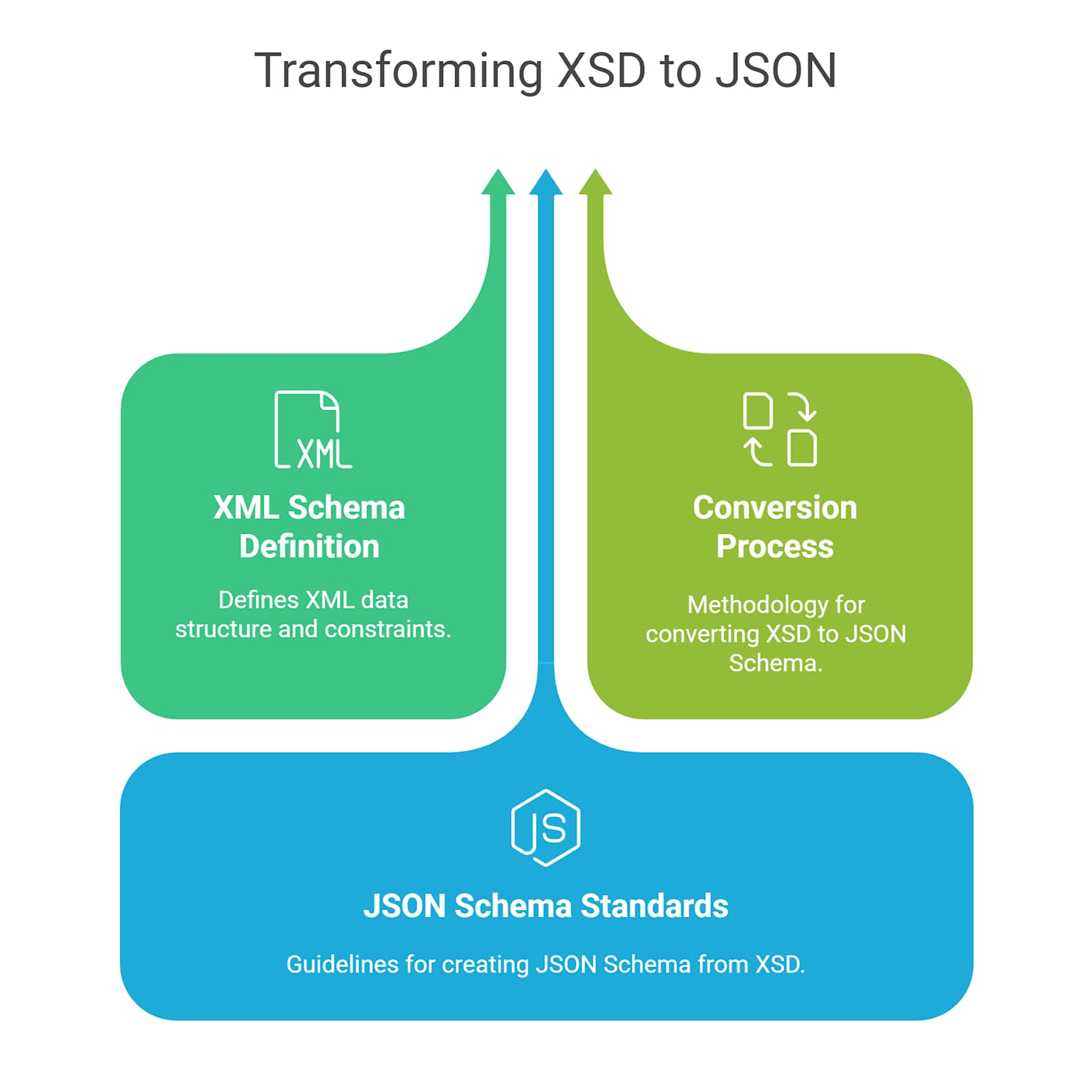
🔧 必知的基础配置
所有模式都支持的两个重要参数:
- 1. Attribute Key(属性键前缀):
- • 默认值:
$ - • 用途:指定XML属性在JSON中的前缀
- • 例如:XML中的
<tag attr="value">会变成{"$attr": "value", "_": "内容"}
- • 默认值:
- 2. Character Key(字符键前缀):
- • 默认值:
_ - • 用途:指定文本内容在JSON中的键
- • 例如:XML标签的文本内容会存储在
"_"键下
- • 默认值:
📖 实战操作流程
场景一:网站地图转JSON(入门必学)
这是XML节点最常见的应用场景——将网站地图转换为JSON,用于SEO分析或URL爬取。
第一步:添加HTTP请求节点
在n8n工作流中:
- 1. 点击"Add first step"
- 2. 搜索"HTTP Request"节点
- 3. 配置:
- • Method: GET
- • URL:
https://example.com/sitemap.xml - • Authentication: None(除非网站需要认证)
运行节点后,你会获得原始的XML数据。
第二步:添加XML节点进行转换
- 1. 点击HTTP节点下的"Add node"按钮
- 2. 搜索并选择"XML"节点
- 3. 配置参数:
- • Mode: 选择
XML to JSON - • Property Name: 输入
body(因为HTTP请求返回的XML在body字段中) - • Explicit Array: 关闭(除非你希望单个元素也显示为数组)
- • Normalize Tags: 开启(保持标签一致性)
- • Trim: 开启(去除多余空格)
- • Mode: 选择
配置完成后,XML将自动转换为结构化的JSON对象。
第三步:提取URL列表
网站地图通常有这样的结构:
  <?xml version="1.0" encoding="UTF-8"?>
<urlset xmlns="http://www.sitemaps.org/schemas/sitemap/0.9">
  <url>
    <loc>https://example.com/page1</loc>
    <lastmod>2024-01-15</lastmod>
  </url>
  <url>
    <loc>https://example.com/page2</loc>
    <lastmod>2024-01-20</lastmod>
  </url>
</urlset>
转换后的JSON将是:
  {
  "urlset": {
    "url": [
      {
        "loc": "https://example.com/page1",
        "lastmod": "2024-01-15"
      },
      {
        "loc": "https://example.com/page2",
        "lastmod": "2024-01-20"
      }
    ]
  }
}添加一个Split Out节点来分离每个URL元素,便于进一步处理。
场景二:JSON转XML格式化LLM指令
很多开发者发现,为AI大模型提供XML格式的结构化指令效果更好。这就是JSON转XML的应用场景。
第一步:准备JSON数据
使用"Set"节点创建你的数据:
  {
  "agent": {
    "name": "ContentAnalyzer",
    "description": "分析并总结文章内容",
    "instructions": "请提取标题、摘要和关键词"
  },
  "input_format": "markdown",
  "output_format": "json"
}
第二步:添加XML节点转换
- 1. 添加"XML"节点
- 2. 配置:
- • Mode: 选择
JSON to XML - • Property Name: 输入要转换的属性名(如
body) - • Root Name: 输入
agent_config(作为XML的根元素) - • Headless: 关闭(包含XML声明)
- • Cdata: 开启(避免特殊字符转义问题)
- • Mode: 选择
第三步:获得XML输出
转换后的XML将是:
  <?xml version="1.0"?>
<agent_config>
  <agent>
    <name>ContentAnalyzer</name>
    <description>分析并总结文章内容</description>
    <instructions>请提取标题、摘要和关键词</instructions>
  </agent>
  <input_format>markdown</input_format>
  <output_format>json</output_format>
</agent_config>
此XML格式的结构化指令可以直接传递给OpenAI、Claude等LLM API。
场景三:属性和文本内容的完整处理
当XML包含属性(attributes)时,如何正确处理?
原始XML示例:
  <document version="1.0" language="zh">
  <title author="张三">教程标题</title>
  <content>教程内容</content>
</document>
配置XML节点(XML to JSON):
- • Merge Attributes: 开启
- • Ignore Attributes: 关闭
- • Attribute Key: 保持默认
$ - • Character Key: 保持默认
_
得到的JSON:
  {
  "document": {
    "$version": "1.0",
    "$language": "zh",
    "title": {
      "$author": "张三",
      "_": "教程标题"
    },
    "content": "教程内容"
  }
}
⚙️ 常见陷阱与解决方案
| 问题 | 原因 | 解决方案 |
|---|---|---|
| 错误:"Item has no JSON property" | XML数据在错误的属性字段中 | 检查"Property Name"配置是否匹配数据源 |
| 转换后的JSON单层结构 | 未配置"Explicit Array" | 根据需求开启或关闭此选项 |
| 特殊字符显示乱码 | 未使用CDATA包装 | JSON转XML时开启"Cdata"选项 |
| 性能变慢 | 处理过大的XML文件 | 使用Split节点分批处理,或在HTTP层面添加分页 |
| 属性没有被识别 | "Ignore Attributes"被开启了 | 关闭此选项以保留XML属性 |
💡 专业提示
- 1. 总是验证转换结果:在传递给下一个节点前,使用"Execute step"运行节点并检查OUTPUT面板
- 2. 处理大型XML:对于超过1MB的XML文件,先用"Extract from File"节点将其从二进制文件中提取出来
- 3. 重用配置:将常用的XML转换配置保存为工作流模板,加快后续工作
- 4. 监控错误:设置Error Handling选项,防止单个转换失败导致整个工作流中断
🚀 完整工作流案例:自动化网站地图分析
这个工作流自动获取网站地图、解析所有URL,并检查特定页面是否更新。
工作流代码(JSON格式):
  {
  "meta": {
    "instanceId": "workflow-sitemap-analysis",
    "templateCredsSetupCompleted": false
  },
  "name": "Sitemap XML to JSON Analysis",
  "nodes": [
    {
      "parameters": {
        "rule": {
          "interval": [
            {
              "triggerAtHour": 9
            }
          ]
        }
      },
      "type": "n8n-nodes-base.scheduleTrigger",
      "typeVersion": 1.2,
      "position": [
        -600,
        -200
      ],
      "id": "schedule_trigger",
      "name": "Daily Schedule at 9 AM"
    },
    {
      "parameters": {
        "method": "GET",
        "url": "{{ $env.SITEMAP_URL || 'https://example.com/sitemap.xml' }}",
        "sendHeaders": false,
        "responseFormat": "text"
      },
      "type": "n8n-nodes-base.httpRequest",
      "typeVersion": 4.2,
      "position": [
        -300,
        -200
      ],
      "id": "fetch_sitemap",
      "name": "Fetch Sitemap"
    },
    {
      "parameters": {
        "mode": "xmlToJson",
        "propertyName": "body",
        "options": {
          "explicit_root": false,
          "normalize_tags": true,
          "trim": true,
          "merge_attributes": true
        }
      },
      "type": "n8n-nodes-base.xml",
      "typeVersion": 1,
      "position": [
        50,
        -200
      ],
      "id": "xml_converter",
      "name": "Convert XML to JSON"
    },
    {
      "parameters": {
        "fieldToSplitOut": "url",
        "appendFields": ""
      },
      "type": "n8n-nodes-base.splitOut",
      "typeVersion": 1,
      "position": [
        350,
        -200
      ],
      "id": "split_urls",
      "name": "Split URLs"
    },
    {
      "parameters": {
        "assignments": {
          "assignments": [
            {
              "id": "url_field",
              "name": "page_url",
              "type": "string",
              "value": "={{ $json.loc }}"
            },
            {
              "id": "lastmod_field",
              "name": "last_modified",
              "type": "string",
              "value": "={{ $json.lastmod }}"
            }
          ]
        }
      },
      "type": "n8n-nodes-base.set",
      "typeVersion": 3.4,
      "position": [
        650,
        -200
      ],
      "id": "set_output",
      "name": "Format Output"
    }
  ],
  "connections": {
    "schedule_trigger": {
      "main": [
        [
          {
            "node": "fetch_sitemap",
            "type": "main",
            "index": 0
          }
        ]
      ]
    },
    "fetch_sitemap": {
      "main": [
        [
          {
            "node": "xml_converter",
            "type": "main",
            "index": 0
          }
        ]
      ]
    },
    "xml_converter": {
      "main": [
        [
          {
            "node": "split_urls",
            "type": "main",
            "index": 0
          }
        ]
      ]
    },
    "split_urls": {
      "main": [
        [
          {
            "node": "set_output",
            "type": "main",
            "index": 0
          }
        ]
      ]
    }
  }
}
工作流说明:
- 1. Daily Schedule at 9 AM:每天上午9点自动触发
- 2. Fetch Sitemap:使用HTTP GET请求获取网站的sitemap.xml
- 3. Convert XML to JSON:将XML转换为JSON格式,便于数据处理
- 4. Split URLs:分离每个URL元素,为后续逐个处理做准备
- 5. Format Output:提取关键字段(URL和最后修改时间),格式化输出
实际应用:
你可以在最后添加:
- • Google Sheets节点:将提取的URL列表保存到表格
- • 数据库节点:存储到MySQL或PostgreSQL
- • Email节点:发送每日报告
- • If节点:检查特定页面是否超过X天未更新
📝 导入这个工作流
- 1. 在n8n中创建新工作流
- 2. 点击右上角"..."菜单
- 3. 选择"Import from File"
- 4. 将上述JSON代码保存为文件并导入
- 5. 配置
SITEMAP_URL环境变量或直接修改URL - 6. 保存并激活工作流
总结
- • ✅ XML节点支持双向转换(JSON ↔ XML)
- • ✅ 理解关键配置参数(Root Name、Merge Attributes等)
- • ✅ 掌握属性键和字符键的含义
- • ✅ 学会结合Split节点处理复杂数据结构
- • ✅ 能够为LLM格式化结构化指令
- • ✅ 了解常见错误的排查方法
引用链接
[1] 官方文档: https://docs.n8n.io/integrations/builtin/core-nodes/n8n-nodes-base.xml/
[2] n8n系列教程: https://www.undsky.com/blog/?category=n8n%E6%95%99%E7%A8%8B#