【n8n教程】:If 节点,让你的工作流自动做决策!
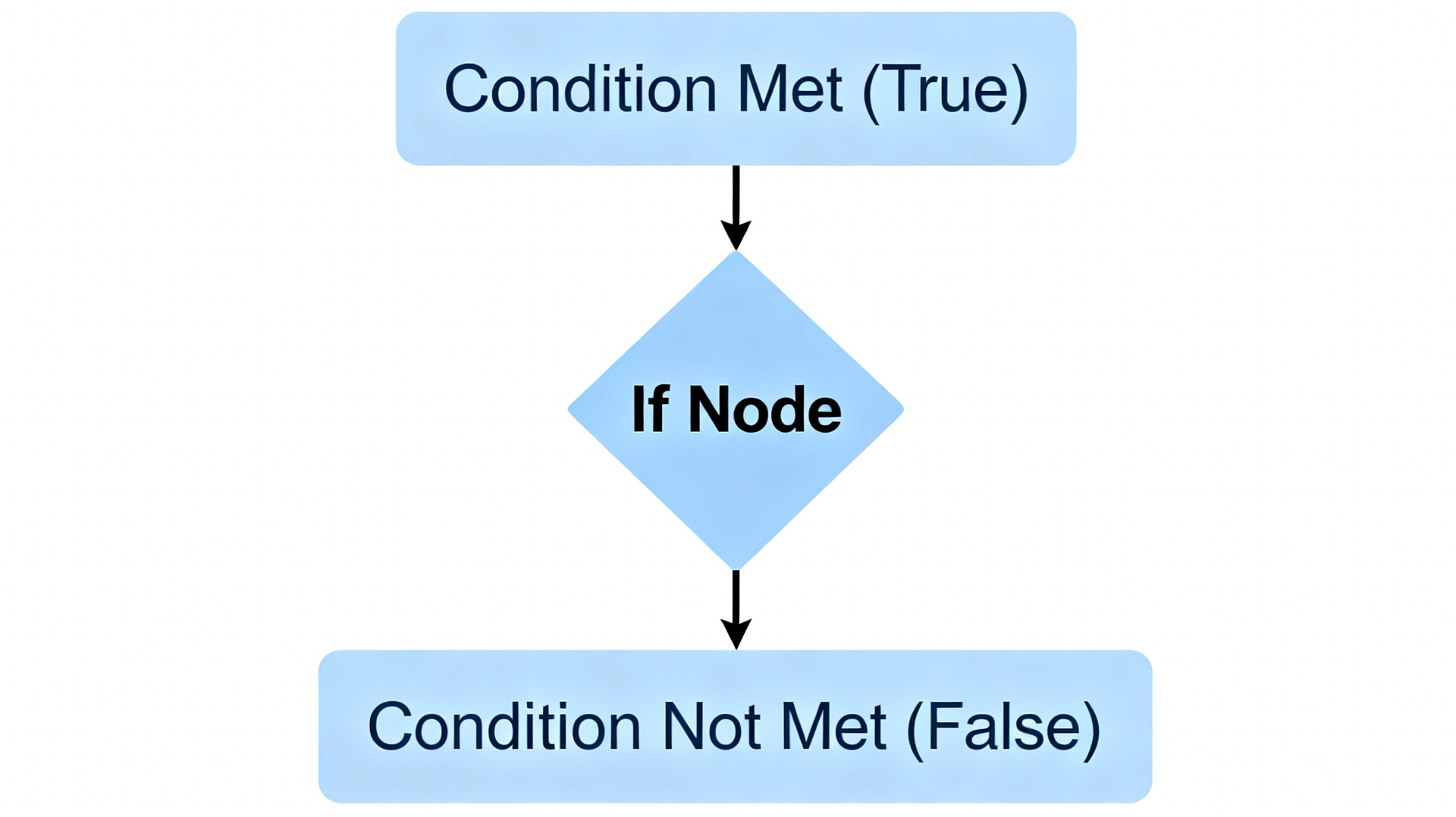
If 节点是什么? 它是 n8n 中最核心的决策节点,让你的工作流像人一样"思考"——根据条件判断走哪条路。
- • ✅ True 分支:条件满足时执行
- • ✅ False 分支:条件不满足时执行
🎯 核心概念(3分钟速成)
1️⃣ If 节点的工作原理
输入数据 → [If 节点判断条件] → True分支 / False分支 → 继续流程If 节点会根据你设定的条件,将数据路由到两条不同的分支。就像一个"十字路口",告诉数据往哪个方向走。
2️⃣ 支持的数据类型
n8n If 节点支持6种数据类型比较,每种都有不同的操作符:
| 数据类型 | 常用操作符 | 示例 |
|---|---|---|
| String(字符串) | 等于、包含、以...开头 | name = "张三" |
| Number(数字) | 大于、小于、等于 | amount > 1000 |
| Boolean(布尔值) | 是真、是假 | isVIP = true |
| Date & Time(日期) | 在...之前、在...之后 | date > 2024-01-01 |
| Array(数组) | 包含、长度大于 | tags.length > 3 |
| Object(对象) | 存在、为空 | config exists |
3️⃣ 组合多个条件
- • AND(全部满足):所有条件都要符合才走 True 分支
- • OR(任一满足):只要有一个条件符合就走 True 分支
⚙️ If 节点配置步骤(图文版)
Step 1: 添加 If 节点
- 1. 点击画布上的 + 号 按钮
- 2. 搜索框输入 "If"
- 3. 从列表中选择 "If" 节点
Step 2: 设置条件
- 1. 打开 If 节点的配置面板
- 2. 选择数据类型:下拉菜单中选择 String、Number、Boolean 等
- 3. 选择比较操作:根据数据类型选择操作符(如
>,contains,equals等) - 4. 输入值:在右边输入要比较的值
Step 3: 连接分支
- • True 分支:点击 If 节点右上方的输出点,拖拽连接到处理 True 的节点
- • False 分支:点击 If 节点右下方的输出点,拖拽连接到处理 False 的节点
💡 实战案例:订单分类与通知系统
我们来实现一个真实场景:根据订单金额自动分类,金额≥1000元发送高级通知,否则发送普通通知。
🔧 工作流结构
Schedule 触发 → 生成订单数据 → If 判断金额 → 分别处理 → 合并结果📋 完整工作流代码(直接导入)
复制以下 JSON 代码,在 n8n 中选择 "导入工作流",粘贴此代码即可:
  {
  "name": "订单金额分类与通知工作流",
  "nodes": [
    {
      "parameters": {
        "triggerTimes": {
          "item": [
            {
              "time": "09:00",
              "dayOfWeek": "Monday"
            }
          ]
        },
        "rule": {
          "interval": [
            {
              "intervalSize": 1,
              "unit": "weeks"
            }
          ]
        }
      },
      "id": "8e8e3a38-d69a-4c3f-bef6-1234567890ab",
      "name": "Schedule Trigger",
      "type": "n8n-nodes-base.scheduleTrigger",
      "typeVersion": 1,
      "position": [250, 300]
    },
    {
      "parameters": {
        "assignments": {
          "assignments": [
            {
              "id": "a1b2c3d4",
              "name": "orderAmount",
              "value": "={{ Math.floor(Math.random() * 5000) + 100 }}",
              "type": "number"
            },
            {
              "id": "b2c3d4e5",
              "name": "customerName",
              "value": "={{ ['张三', '李四', '王五', '赵六'][Math.floor(Math.random() * 4)] }}",
              "type": "string"
            },
            {
              "id": "c3d4e5f6",
              "name": "orderDate",
              "value": "={{ $now.toISOString() }}",
              "type": "string"
            }
          ]
        }
      },
      "id": "set-order-data",
      "name": "设置订单数据",
      "type": "n8n-nodes-base.set",
      "typeVersion": 3,
      "position": [450, 300]
    },
    {
      "parameters": {
        "conditions": {
          "options": {
            "caseSensitive": true,
            "leftValue": "={{ $json.orderAmount }}",
            "operation": "gte",
            "rightValue": "1000"
          }
        }
      },
      "id": "if-high-value-order",
      "name": "是否为高价值订单 (≥1000)",
      "type": "n8n-nodes-base.if",
      "typeVersion": 1,
      "position": [650, 300]
    },
    {
      "parameters": {
        "assignments": {
          "assignments": [
            {
              "id": "d4e5f6g7",
              "name": "notificationType",
              "value": "高级通知",
              "type": "string"
            },
            {
              "id": "e5f6g7h8",
              "name": "priority",
              "value": "high",
              "type": "string"
            },
            {
              "id": "f6g7h8i9",
              "name": "message",
              "value": "={{ '重要订单:' + $json.customerName + '下单金额为 ¥' + $json.orderAmount }}",
              "type": "string"
            }
          ]
        }
      },
      "id": "high-value-notification",
      "name": "高价值订单处理",
      "type": "n8n-nodes-base.set",
      "typeVersion": 3,
      "position": [850, 150]
    },
    {
      "parameters": {
        "assignments": {
          "assignments": [
            {
              "id": "g7h8i9j0",
              "name": "notificationType",
              "value": "普通通知",
              "type": "string"
            },
            {
              "id": "h8i9j0k1",
              "name": "priority",
              "value": "normal",
              "type": "string"
            },
            {
              "id": "i9j0k1l2",
              "name": "message",
              "value": "={{ '订单确认:' + $json.customerName + '下单金额为 ¥' + $json.orderAmount }}",
              "type": "string"
            }
          ]
        }
      },
      "id": "normal-order-notification",
      "name": "普通订单处理",
      "type": "n8n-nodes-base.set",
      "typeVersion": 3,
      "position": [850, 450]
    },
    {
      "parameters": {},
      "id": "merge-notifications",
      "name": "合并通知数据",
      "type": "n8n-nodes-base.merge",
      "typeVersion": 2,
      "position": [1050, 300]
    }
  ],
  "connections": {
    "Schedule Trigger": {
      "main": [
        [
          {
            "node": "设置订单数据",
            "type": "main",
            "index": 0
          }
        ]
      ]
    },
    "设置订单数据": {
      "main": [
        [
          {
            "node": "是否为高价值订单 (≥1000)",
            "type": "main",
            "index": 0
          }
        ]
      ]
    },
    "是否为高价值订单 (≥1000)": {
      "main": [
        [
          {
            "node": "高价值订单处理",
            "type": "main",
            "index": 0
          }
        ],
        [
          {
            "node": "普通订单处理",
            "type": "main",
            "index": 0
          }
        ]
      ]
    },
    "高价值订单处理": {
      "main": [
        [
          {
            "node": "合并通知数据",
            "type": "main",
            "index": 0
          }
        ]
      ]
    },
    "普通订单处理": {
      "main": [
        [
          {
            "node": "合并通知数据",
            "type": "main",
            "index": 1
          }
        ]
      ]
    }
  },
  "active": false,
  "settings": {},
  "versionId": "1b2c3d4e-5f6a-7b8c-9d0e-1f2a3b4c5d6e"
}
🔑 关键代码解释
If 节点的核心条件配置:
  "parameters": {
  "conditions": {
    "options": {
      "leftValue": "={{ $json.orderAmount }}",     // 左边:订单金额字段
      "operation": "gte",                          // 操作符:大于等于 (>=)
      "rightValue": "1000"                         // 右边:比较值1000
    }
  }
}
表达式中的动态文本拼接:
  // True分支 - 高价值订单
"message": "={{ '重要订单:' + $json.customerName + '下单金额为 ¥' + $json.orderAmount }}"
// 输出示例:重要订单:张三下单金额为 ¥1500

// False分支 - 普通订单
"message": "={{ '订单确认:' + $json.customerName + '下单金额为 ¥' + $json.orderAmount }}"
// 输出示例:订单确认:李四下单金额为 ¥800
🎓 高级技巧
1️⃣ 组合多个条件(AND/OR)
例子:VIP客户且订单>500元才发送高级通知
  // Condition 1: 客户等级 = VIP
leftValue: "={{ $json.customerLevel }}"
operation: "equals"
rightValue: "VIP"

// 中间选择:AND(两个条件都要满足)

// Condition 2: 金额 > 500
leftValue: "={{ $json.orderAmount }}"
operation: ">"
rightValue: "500"
2️⃣ 嵌套 If 节点(多层决策)
如果需要超过2条分支的逻辑,可以在 True 或 False 分支后再连接另一个 If 节点:
  If 节点1 (是否为VIP)
├─ True → If 节点2 (是否为高价值订单)
│         ├─ True → 高级VIP处理
│         └─ False → 普通VIP处理
└─ False → 非VIP处理
3️⃣ 使用正则表达式匹配
如果选择 String > matches regex,可以进行复杂的文本匹配:
  // 匹配邮箱格式
"matches regex": "^[A-Za-z0-9._%+-]+@[A-Za-z0-9.-]+\\.[A-Z|a-z]{2,}$"

// 匹配电话号码(11位)
"matches regex": "^1[3-9]\\d{9}$"
4️⃣ 处理空值和未定义
  // 检查字段是否存在
operation: "exists"

// 检查字段是否为空
operation: "is empty"

// 组合使用
if (!$json.customField || $json.customField === "") {
  // 字段不存在或为空
}
⚠️ 常见错误 & 解决方案
问题1:数据类型不匹配
❌ 错误:String 类型的 value2 与 Number 类型的 value1 比较
✅ 解决:确保两边数据类型一致,或使用表达式进行类型转换
  // 错误:字符串 "1000" 与 数字 1000 比较
leftValue: "{{ $json.amount }}"           // Number
rightValue: "1000"                        // String

// 正确:转换为同类型
rightValue: "{{ 1000 }}"                  // 使用表达式使其为 Number
问题2:表达式语法错误
❌ 错误:$json.orderAmount 直接作为值
✅ 解决:使用 {{ }} 包裹表达式
  // 错误
leftValue: "$json.orderAmount"

// 正确
leftValue: "{{ $json.orderAmount }}"
问题3:False 分支没有连接
❌ 常见误区:只连接 True 分支,False 的数据丢失
✅ 最佳实践:总是为两条分支提供处理节点(或至少添加一个"无操作"节点作为占位符)
📚 数据类型对照表(完整版)
String 字符串操作符
| 操作符 | 说明 | 示例 |
|---|---|---|
| exists | 字段存在 | email exists |
| does not exist | 字段不存在 | email does not exist |
| is empty | 字符串为空 | name is empty |
| is not empty | 字符串不为空 | name is not empty |
| equals | 等于(精确匹配) | status = "active" |
| is not equal to | 不等于 | status ≠ "inactive" |
| contains | 包含子串 | email contains "@gmail" |
| does not contain | 不包含 | email does not contain "@qq" |
| starts with | 以...开头 | phone starts with "13" |
| ends with | 以...结尾 | filename ends with ".jpg" |
| matches regex | 正则表达式匹配 | email matches regex "^[^@]+@" |
Number 数字操作符
| 操作符 | 说明 | 示例 |
|---|---|---|
| exists | 数字字段存在 | age exists |
| is equal to | 等于 | age = 18 |
| is greater than | 大于 | price > 100 |
| is less than | 小于 | stock < 10 |
| is ≥ | 大于等于 | score ≥ 60 |
| is ≤ | 小于等于 | discount ≤ 50 |
Boolean 布尔值操作符
| 操作符 | 说明 | 示例 |
|---|---|---|
| is true | 值为真 | isVIP is true |
| is false | 值为假 | isVIP is false |
| is equal to | 等于 | active = true |
Array 数组操作符
| 操作符 | 说明 | 示例 |
|---|---|---|
| contains | 包含值 | tags contains "sale" |
| length equal to | 长度等于 | items.length = 5 |
| length greater than | 长度大于 | items.length > 3 |
🎯 学习路线图
  初级 → If 节点基础 (String, Number 比较)
  ↓
中级 → 多条件组合 (AND/OR)、嵌套 If
  ↓
高级 → 正则表达式、动态表达式、Switch 节点替代
📞 快速参考
最常用的 If 节点操作
  // ✅ 数字比较(最常用)
orderAmount >= 1000

// ✅ 文本匹配
status = "approved"

// ✅ 日期比较
createDate > 2024-01-01

// ✅ 多条件逻辑
(level = "VIP") AND (amount > 500)

// ✅ 数组检查
tags.contains("urgent")引用链接
[1] 官方文档: https://docs.n8n.io/integrations/builtin/core-nodes/n8n-nodes-base.if/
[2] n8n系列教程: https://www.undsky.com/blog/?category=n8n%E6%95%99%E7%A8%8B#