【n8n教程】:Filter 节点,让你的工作流精准过滤数据
在构建自动化工作流时,你经常会面临这样的问题:如何从众多数据中筛选出真正需要的部分? Filter 节点就是为此而生的!它就像一个智能守门人,只让符合条件的数据通过,其他数据则被过滤掉。这样做不仅能提高工作流的效率,还能避免不必要的 API 调用和成本浪费。
本教程将带你从零开始,深入理解 Filter 节点的核心概念,掌握各种数据类型的比较操作,并通过实战案例学会如何构建多条件的数据筛选流程。
什么是 Filter 节点?
Filter 节点的核心作用:根据条件过滤数据项。符合条件的数据项会被传递到工作流的下一个节点,不符合条件的数据项则被丢弃。
为什么要用 Filter 节点?
- 1. 节省成本:在早期阶段过滤无用数据,避免昂贵的 API 调用
- 2. 提高效率:只处理真正需要的数据,减少不必要的操作
- 3. 保持工作流清洁:确保只有有效数据进入后续处理环节
- 4. 支持复杂逻辑:可同时设置多个条件,使用 AND/OR 组合
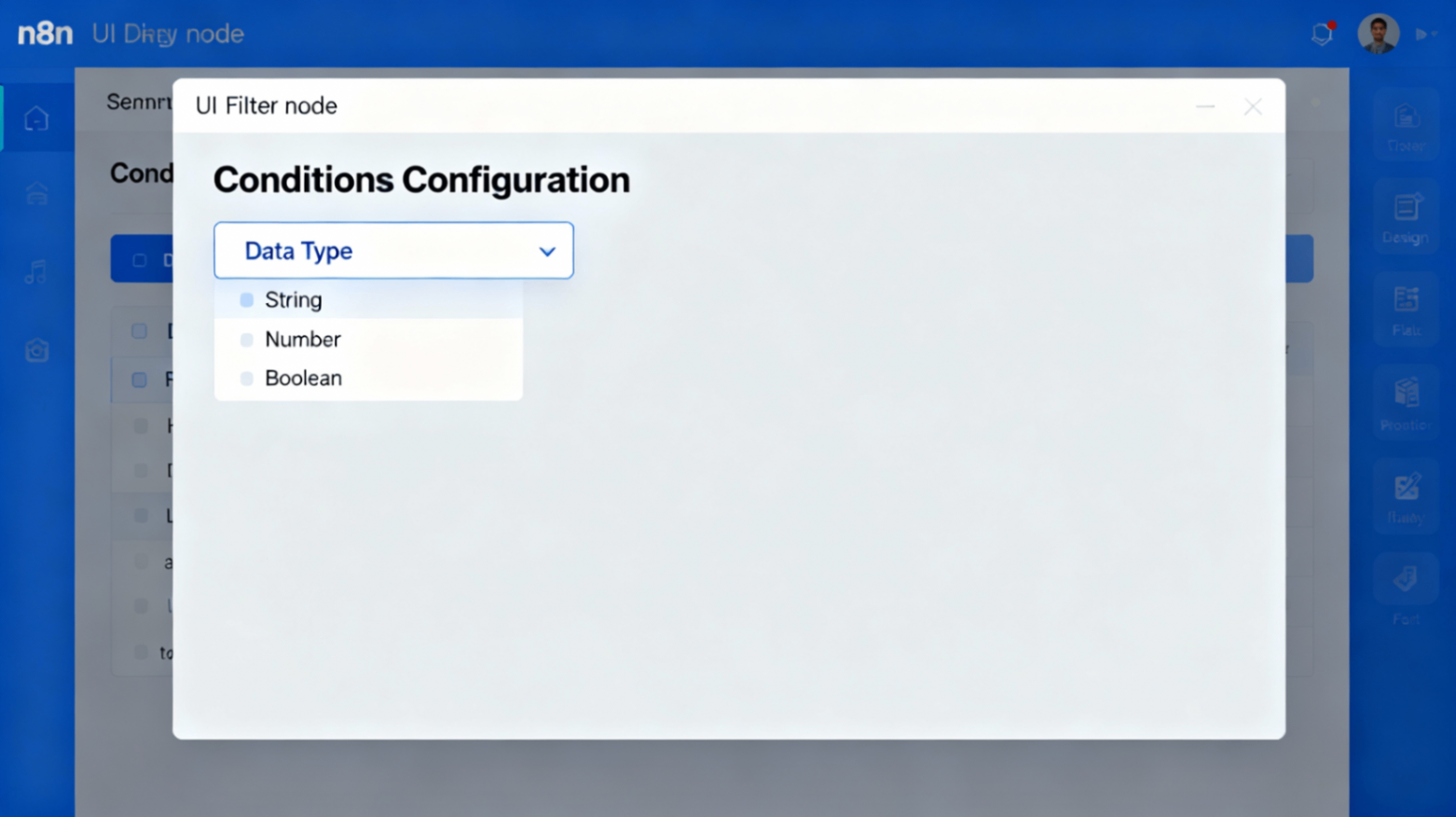
Filter 节点的核心参数
1. 数据类型(Data Type)
Filter 节点支持以下 6 种数据类型。选择正确的数据类型很重要,因为它决定了你可以使用哪些比较操作。
| 数据类型 | 说明 | 常见应用 |
|---|---|---|
| String(字符串) | 文本数据 | 邮箱、用户名、状态标签 |
| Number(数字) | 整数或小数 | 价格、库存、计数 |
| Date & Time(日期时间) | 时间戳或日期 | 订单时间、截止日期 |
| Boolean(布尔值) | 真/假 | 活跃状态、完成标记 |
| Array(数组) | 列表集合 | 标签列表、订单项数组 |
| Object(对象) | 嵌套结构 | 用户信息、配置对象 |
Filter 节点的比较操作详解
String(字符串)比较操作
  - exists(存在)
- does not exist(不存在)
- is empty(为空)
- is not empty(非空)
- is equal to(等于)
- is not equal to(不等于)
- contains(包含)
- does not contain(不包含)
- starts with(以...开头)
- does not start with(不以...开头)
- ends with(以...结尾)
- does not end with(不以...结尾)
- matches regex(正则匹配)
- does not match regex(不匹配正则)
💡 常见应用:过滤包含特定关键词的邮件标题、检查邮箱域名等
Number(数字)比较操作
  - exists(存在)
- does not exist(不存在)
- is empty(为空)
- is not empty(非空)
- is equal to(等于)
- is not equal to(不等于)
- is greater than(大于)
- is less than(小于)
- is greater than or equal to(大于等于)
- is less than or equal to(小于等于)
💡 常见应用:筛选订单金额、库存数量、评分等级
Date & Time(日期时间)比较操作
  - exists(存在)
- does not exist(不存在)
- is empty(为空)
- is not empty(非空)
- is equal to(等于)
- is not equal to(不等于)
- is after(之后)
- is before(之前)
- is after or equal to(不早于)
- is before or equal to(不晚于)
💡 常见应用:获取过去 7 天的订单、检查截止日期是否已过期
Boolean(布尔值)比较操作
  - exists(存在)
- does not exist(不存在)
- is empty(为空)
- is not empty(非空)
- is true(为真)
- is false(为假)
- is equal to(等于)
- is not equal to(不等于)
💡 常见应用:只处理已验证的用户、筛选已发布的文章
Array(数组)比较操作
  - exists(存在)
- does not exist(不存在)
- is empty(为空)
- is not empty(非空)
- contains(包含)
- does not contain(不包含)
- length equal to(长度等于)
- length not equal to(长度不等于)
- length greater than(长度大于)
- length less than(长度小于)
- length greater than or equal to(长度大于等于)
- length less than or equal to(长度小于等于)
💡 常见应用:只处理有标签的商品、检查订单是否包含特定项目
Object(对象)比较操作
  - exists(存在)
- does not exist(不存在)
- is empty(为空)
- is not empty(非空)
关键参数选项
1. 忽略大小写(Ignore Case)
- • 打开:不区分字母大小写,如"HELLO"和"hello"被视为相同
- • 关闭:区分大小写,"HELLO"和"hello"被视为不同
- • 建议:在比较邮箱、用户名等时打开此选项
2. 宽松类型验证(Less Strict Type Validation)
- • 打开:n8n 会尝试自动转换数据类型
- • 关闭:严格执行类型匹配,数据类型不符会报错
- • 建议:新手可打开避免"错误类型"错误
条件组合逻辑
AND 逻辑(全部满足)
当你需要同时满足多个条件时使用 AND。只有当所有条件都为真时,数据才能通过。
示例:
- • 条件1:邮件来自 "sales@company.com[1]"
- • 条件2:邮件标题包含 "紧急"
- • AND 连接
- • 结果:只有同时来自该邮箱且标题含"紧急"的邮件才会通过
OR 逻辑(任一满足)
当你需要满足任意一个条件时使用 OR。只要有任何一个条件为真,数据就能通过。
示例:
- • 条件1:订单状态等于 "processing"
- • 条件2:订单状态等于 "urgent"
- • OR 连接
- • 结果:处理中或紧急的订单都会通过
⚠️ 重要提示
- • 不能混合使用 AND 和 OR:要么全是 AND,要么全是 OR
- • 如需复杂逻辑,可连接多个 Filter 节点
实操:构建你的第一个 Filter 工作流
场景设定
你是一个电商客服团队的经理。每天会收到大量订单邮件,但你只想处理以下类型的订单:
- • 订单金额 ≥ 100 元
- • 订单状态为 "pending"(待处理)
- • 订单所属类别为 "高价值客户"
工作流步骤
第一步:添加触发器
- 1. 在 n8n 画布上点击 "+"
- 2. 搜索并选择"Webhook"或"HTTP Request"作为数据源
- 3. 配置以获取订单数据
第二步:添加 Filter 节点
- 1. 点击工作流中的 "+"
- 2. 搜索"Filter"
- 3. 选择"Filter"节点添加到工作流
第三步:配置第一个条件
- • 数据类型:Number
- • 字段:选择"amount"
- • 操作:is greater than or equal to
- • 值:100
第四步:添加第二个条件
- 1. 点击"Add condition"
- 2. 数据类型:String
- 3. 字段:选择"status"
- 4. 操作:is equal to
- 5. 值:pending
- 6. 连接方式:AND
第五步:添加第三个条件
- 1. 再次点击"Add condition"
- 2. 数据类型:String
- 3. 字段:选择"category"
- 4. 操作:is equal to
- 5. 值:high_value_customer
- 6. 连接方式:AND
第六步:测试你的 Filter
- 1. 点击"Test step"或"Execute"
- 2. 查看"Output"面板中的结果
- 3. 符合条件的订单会出现在主输出区
- 4. 不符合条件的订单会显示在"Discarded"标签页
常见使用技巧
技巧 1:检查字段是否存在
有时数据可能不完整。使用"exists"或"is not empty"来过滤不完整的记录:
  数据类型:String
字段:email
操作:is not empty
技巧 2:日期范围过滤
要获取特定时间内的数据,可使用两个 Filter 节点或多条件:
Filter 1 条件1:created_at is after (今天 - 7天)
Filter 1 条件2:created_at is before (今天)
技巧 3:使用正则表达式(Regex)
如果需要复杂的文本匹配,使用正则表达式:
  数据类型:String
字段:email
操作:matches regex
值:^[a-zA-Z0-9._-]+@company\.com$
这会只匹配公司域名的邮箱。
技巧 4:链接多个 Filter 节点
对于很复杂的逻辑,可以连接多个 Filter 节点:
数据源 → Filter 1(基本有效性检查)→ Filter 2(值范围检查)→ Filter 3(特殊模式检查)→ 后续处理完整实战案例:电商订单智能分发系统
以下是一个完整的可执行工作流,用于自动分发不同等级的订单到相应团队。
工作流描述
此工作流从 Webhook 接收订单数据,然后:
- 1. 过滤出高价值订单(金额 ≥ 500 元)→ 分发给 VIP 团队
- 2. 过滤出普通订单(100-499 元)→ 分发给标准团队
- 3. 过滤出低价值订单(< 100 元)→ 自动处理
工作流 JSON 代码
  {
  "name": "Smart Order Distribution System",
  "nodes": [
    {
      "parameters": {
        "path": "webhook",
        "authMethod": "none"
      },
      "name": "Order Webhook",
      "type": "n8n-nodes-base.webhook",
      "typeVersion": 1,
      "position": [100, 300]
    },
    {
      "parameters": {
        "conditions": {
          "boolean": [],
          "number": [
            {
              "value1": "{{ $json.orderAmount }}",
              "condition": ">=",
              "value2": 500
            }
          ],
          "string": [],
          "dateTime": [],
          "object": [],
          "array": []
        }
      },
      "name": "Filter - VIP Orders (≥ 500)",
      "type": "n8n-nodes-base.filter",
      "typeVersion": 1,
      "position": [400, 100]
    },
    {
      "parameters": {
        "conditions": {
          "boolean": [],
          "number": [
            {
              "value1": "{{ $json.orderAmount }}",
              "condition": ">=",
              "value2": 100
            },
            {
              "value1": "{{ $json.orderAmount }}",
              "condition": "<",
              "value2": 500
            }
          ],
          "string": [],
          "dateTime": [],
          "object": [],
          "array": []
        }
      },
      "name": "Filter - Standard Orders (100-499)",
      "type": "n8n-nodes-base.filter",
      "typeVersion": 1,
      "position": [400, 300]
    },
    {
      "parameters": {
        "conditions": {
          "boolean": [],
          "number": [
            {
              "value1": "{{ $json.orderAmount }}",
              "condition": "<",
              "value2": 100
            }
          ],
          "string": [],
          "dateTime": [],
          "object": [],
          "array": []
        }
      },
      "name": "Filter - Low Value Orders (< 100)",
      "type": "n8n-nodes-base.filter",
      "typeVersion": 1,
      "position": [400, 500]
    },
    {
      "parameters": {
        "url": "https://hooks.slack.com/services/YOUR_WEBHOOK_URL",
        "method": "POST",
        "bodyParametersUi": "keyvalue",
        "bodyParameters": {
          "parameters": [
            {
              "name": "text",
              "value": "🌟 VIP Order Alert!\nOrder ID: {{ $json.orderId }}\nAmount: {{ $json.orderAmount }}\nCustomer: {{ $json.customerName }}"
            }
          ]
        }
      },
      "name": "Send to Slack - VIP",
      "type": "n8n-nodes-base.httpRequest",
      "typeVersion": 3,
      "position": [700, 100]
    },
    {
      "parameters": {
        "url": "https://hooks.slack.com/services/YOUR_WEBHOOK_URL_STANDARD",
        "method": "POST",
        "bodyParametersUi": "keyvalue",
        "bodyParameters": {
          "parameters": [
            {
              "name": "text",
              "value": "📦 Standard Order Received\nOrder ID: {{ $json.orderId }}\nAmount: {{ $json.orderAmount }}\nCustomer: {{ $json.customerName }}"
            }
          ]
        }
      },
      "name": "Send to Slack - Standard",
      "type": "n8n-nodes-base.httpRequest",
      "typeVersion": 3,
      "position": [700, 300]
    },
    {
      "parameters": {
        "url": "https://api.example.com/autoprocess",
        "method": "POST",
        "bodyParametersUi": "json",
        "body": "{\n  \"orderId\": \"{{ $json.orderId }}\",\n  \"action\": \"auto_fulfill\"\n}"
      },
      "name": "Auto Process - Low Value",
      "type": "n8n-nodes-base.httpRequest",
      "typeVersion": 3,
      "position": [700, 500]
    }
  ],
  "connections": {
    "Order Webhook": {
      "main": [
        [
          {
            "node": "Filter - VIP Orders (≥ 500)",
            "type": "main",
            "index": 0
          },
          {
            "node": "Filter - Standard Orders (100-499)",
            "type": "main",
            "index": 0
          },
          {
            "node": "Filter - Low Value Orders (< 100)",
            "type": "main",
            "index": 0
          }
        ]
      ]
    },
    "Filter - VIP Orders (≥ 500)": {
      "main": [
        [
          {
            "node": "Send to Slack - VIP",
            "type": "main",
            "index": 0
          }
        ]
      ]
    },
    "Filter - Standard Orders (100-499)": {
      "main": [
        [
          {
            "node": "Send to Slack - Standard",
            "type": "main",
            "index": 0
          }
        ]
      ]
    },
    "Filter - Low Value Orders (< 100)": {
      "main": [
        [
          {
            "node": "Auto Process - Low Value",
            "type": "main",
            "index": 0
          }
        ]
      ]
    }
  }
}
如何使用此工作流
- 1. 复制上面的 JSON 代码
- 2. 在 n8n 中创建新工作流
- 3. 点击右上角的三个点菜单
- 4. 选择"Import from File"并粘贴 JSON 代码
- 5. 配置你的 Slack Webhook URL(替换示例中的 URL)
- 6. 配置 HTTP 请求中的目标 API 端点
- 7. 点击"Test"测试工作流
- 8. 激活工作流即可开始使用
工作流执行流程示意
  ┌──────────────┐
│ Order Webhook│
└──────┬───────┘
       │
   ┌───┴───────────────────────┐
   │                           │
   ▼                           ▼
┌─────────────┐         ┌──────────────┐
│Filter VIP   │         │Filter Standard│
│(≥ 500)      │         │(100-499)     │
└──────┬──────┘         └──────┬───────┘
       │                       │
       ▼                       ▼
┌─────────────┐         ┌──────────────┐
│Send to Slack│         │Send to Slack │
│VIP Team     │         │Standard Team │
└─────────────┘         └──────────────┘
常见问题(FAQ)
Q1: 如何在 Filter 中使用前面节点的输出数据?
使用表达式语法 {{ $json.字段名 }} 或 {{ $node["节点名称"].json.字段名 }}
Q2: Filter 节点和 If 节点有什么区别?
- • Filter 节点:移除不符合条件的数据项,只有一个输出路径
- • If 节点:根据条件产生两个分支(真/假),用于不同的业务逻辑处理
Q3: 如何过滤空值或缺失数据?
使用条件:
- •
is empty:检查字段为空 - •
is not empty:检查字段非空 - •
does not exist:检查字段不存在
Q4: 能否使用动态值进行过滤?
可以!使用表达式在"值"字段中引用其他节点的数据:{{ $node["前一个节点"].json.比较值 }}
Q5: 如何调试 Filter 节点为什么没有输出?
- 1. 点击"Execute previous nodes"重新执行上一步
- 2. 检查"Discarded"标签页看是否有被过滤的数据
- 3. 验证条件逻辑是否正确
- 4. 检查数据类型是否匹配
总结
Filter 节点是 n8n 工作流中的关键构件,帮助你:
✅ 提高效率:只处理需要的数据
✅ 降低成本:减少不必要的 API 调用
✅ 增强控制:精确管理数据流向
✅ 支持复杂逻辑:通过 AND/OR 组合实现多条件过滤
引用链接
[1] sales@company.com: mailto:sales@company.com
[2] 官方文档: https://docs.n8n.io/integrations/builtin/core-nodes/n8n-nodes-base.filter/
[3] n8n系列教程: https://www.undsky.com/blog/?category=n8n%E6%95%99%E7%A8%8B#