【n8n教程】:Execution Data节点,追踪和管理工作流执行记录
在n8n中,每次工作流执行都会生成大量的运行数据。但是,当你需要快速查找某个特定的执行记录时,往往需要在无尽的执行列表中翻页搜索。Execution Data节点 就是为了解决这个问题而设计的!
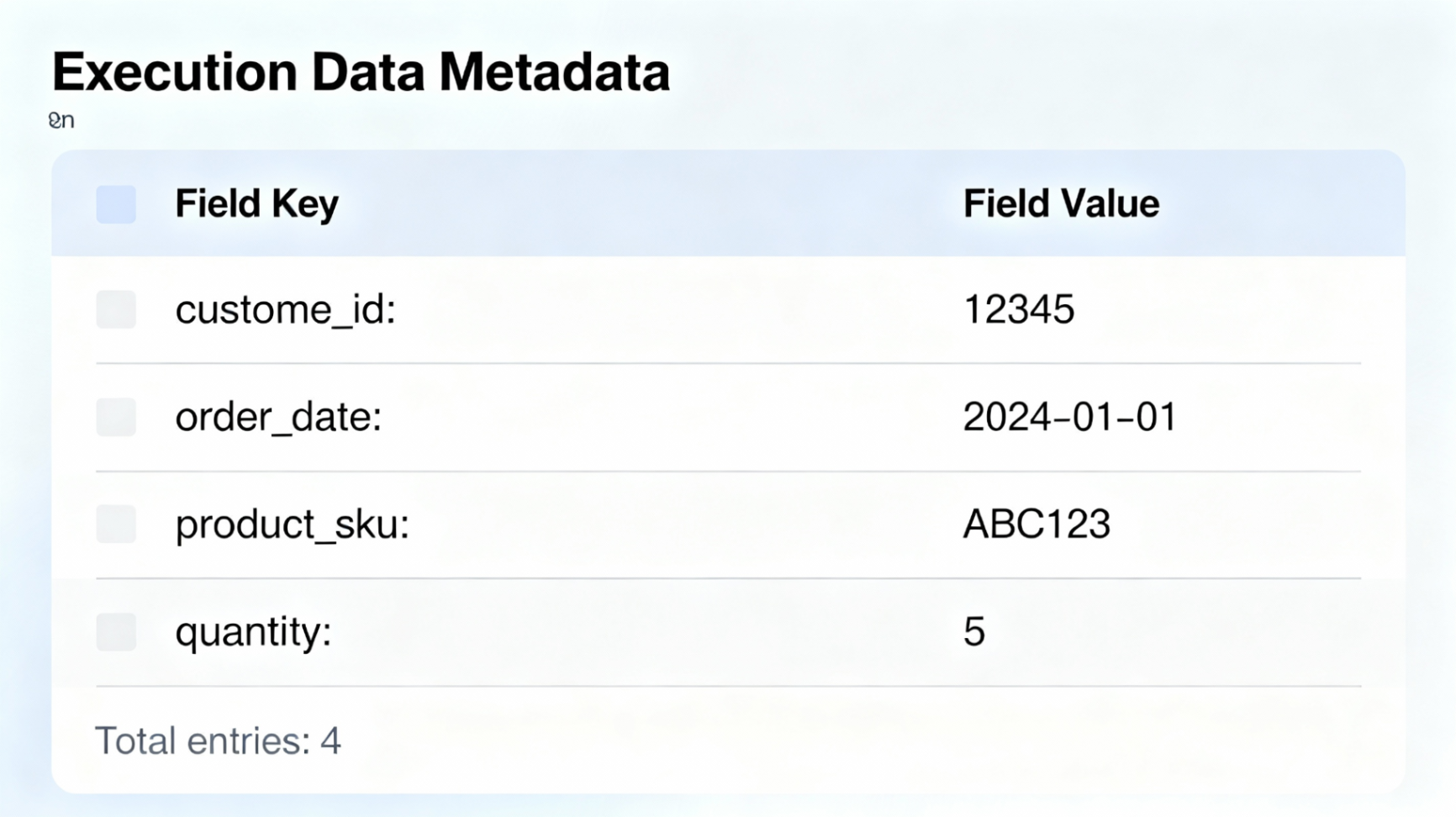
它允许你保存自定义的元数据(键值对),这些数据会随着每次执行被记录下来,让你可以在执行列表中按这些元数据进行搜索和筛选。这对于调试问题、追踪特定客户的流程、或者进行工作流分析都非常有帮助。
📚 核心概念
Execution Data节点是什么?
Execution Data节点是n8n的一个核心节点,用于在工作流执行时保存自定义的元数据。这些元数据会被记录到执行历史中,允许你后续通过这些数据来搜索、筛选和管理执行记录。
主要作用
| 功能 | 说明 |
|---|---|
| 保存元数据 | 在执行时添加自定义的键值对数据 |
| 快速搜索 | 在执行列表中按保存的元数据进行搜索 |
| 调试工作流 | 快速定位特定的执行记录进行排查 |
| 追踪关键信息 | 记录客户ID、订单号、处理状态等关键信息 |
⚙️ 关键限制(必读!)
使用Execution Data节点时,需要注意以下限制:
| 限制项 | 限值 | 说明 |
|---|---|---|
| Key长度 | 最多50个字符 | 键名不能超过50个字符,超出部分会被截断 |
| Value长度 | 最多512个字符 | 值不能超过512个字符,超出部分会被截断 |
| 可用性 | Pro/Enterprise | 仅在n8n Cloud Pro/Enterprise及自托管Enterprise版本中可用 |
💡 提示: 如果Key或Value超过限制,n8n会自动截断并输出日志提醒。
🚀 快速入门:三步配置
步骤1:添加Execution Data节点
- 1. 在n8n画布上,点击 "+" 号添加新节点
- 2. 搜索 "Execution Data"
- 3. 从列表中选择 "Execution Data" 节点
步骤2:配置保存字段
节点添加后,你会看到一个 "Saved Field" 参数区域:
  每个Saved Field需要配置:
├─ Field Name(字段名):这个键的名称,最多50个字符
└─ Field Value(字段值):这个键对应的值,最多512个字符
实际例子:
  字段1:
  - Field Name: customer_id
  - Field Value: CUST-12345

字段2:
  - Field Name: order_status
  - Field Value: processing
步骤3:连接到上一个节点
- • 将你工作流中前面节点的输出连接到Execution Data节点
- • 确保前面节点已经提供了你需要的数据
- • 保存工作流并运行测试
💡 实用技巧
使用表达式(Expressions)动态赋值
你不必手动输入固定的值,可以使用表达式从前面节点的数据中提取信息:
  // 从JSON数据中提取客户ID
{{ $json.customer_id }}

// 从上一个节点获取订单号
{{ $prevNode.json.order_number }}

// 组合多个字段
{{ $json.name + " - " + $json.email }}

// 获取当前时间戳
{{ new Date().toISOString() }}
常用元数据字段建议
在实际使用中,推荐保存这些元数据:
- • customer_id:客户标识符
- • order_id:订单号
- • email:用户邮箱
- • status:处理状态(success/error/pending)
- • timestamp:执行时间戳
- • process_type:流程类型标识
🔍 执行后:如何搜索和筛选
在执行列表中搜索
- 1. 打开工作流的 "Executions" 标签页
- 2. 你会看到执行列表,每条执行都显示了保存的元数据
- 3. 使用搜索框按保存的元数据进行过滤
例如: 如果你保存了 customer_id: CUST-12345,就可以直接搜索 CUST-12345 找到所有相关的执行记录。
📋 完整可执行工作流示例
下面这个工作流演示了如何使用Execution Data节点来记录API请求的关键信息。
工作流场景:处理客户订单并记录执行信息
流程描述:
- 1. 通过Webhook接收订单数据
- 2. 验证订单信息
- 3. 保存订单信息到Execution Data(便于后续追踪)
- 4. 调用API处理订单
- 5. 返回处理结果
工作流JSON代码
  {
  "active": false,
  "name": "Order Processing with Execution Data Tracking",
  "nodes": [
    {
      "parameters": {
        "path": "webhook/order",
        "httpMethod": "POST",
        "responseMode": "lastNode",
        "responseData": "{\n  \"success\": true,\n  \"message\": \"Order received\"\n}",
        "options": {}
      },
      "id": "ab12cd34ef56",
      "name": "Webhook Trigger",
      "type": "n8n-nodes-base.webhook",
      "typeVersion": 1,
      "position": [250, 300]
    },
    {
      "parameters": {
        "values": {
          "string": [
            {
              "name": "order_id",
              "value": "{{ $json.order_id }}"
            },
            {
              "name": "customer_email",
              "value": "{{ $json.customer_email }}"
            },
            {
              "name": "amount",
              "value": "{{ $json.amount }}"
            }
          ]
        },
        "options": {}
      },
      "id": "gh78ij90kl01",
      "name": "Set Order Data",
      "type": "n8n-nodes-base.set",
      "typeVersion": 3,
      "position": [450, 300]
    },
    {
      "parameters": {
        "values": {
          "string": [
            {
              "name": "order_id",
              "value": "{{ $json.order_id }}"
            },
            {
              "name": "customer_email",
              "value": "{{ $json.customer_email }}"
            },
            {
              "name": "amount",
              "value": "{{ $json.amount }}"
            },
            {
              "name": "execution_time",
              "value": "{{ new Date().toISOString() }}"
            },
            {
              "name": "status",
              "value": "processing"
            }
          ]
        },
        "options": {}
      },
      "id": "mn23op45qr56",
      "name": "Save Execution Metadata",
      "type": "n8n-nodes-base.executiondata",
      "typeVersion": 1,
      "position": [650, 300]
    },
    {
      "parameters": {
        "url": "https://api.example.com/orders",
        "method": "POST",
        "headers": {
          "Content-Type": "application/json",
          "Authorization": "Bearer YOUR_API_KEY"
        },
        "body": {
          "order_id": "{{ $json.order_id }}",
          "customer_email": "{{ $json.customer_email }}",
          "amount": "{{ $json.amount }}"
        },
        "options": {}
      },
      "id": "st67uv89wx01",
      "name": "Process Order API",
      "type": "n8n-nodes-base.httpRequest",
      "typeVersion": 4,
      "position": [850, 300]
    },
    {
      "parameters": {
        "values": {
          "string": [
            {
              "name": "result_status",
              "value": "{{ $json.status }}"
            },
            {
              "name": "api_response",
              "value": "{{ JSON.stringify($json).substring(0, 500) }}"
            }
          ]
        },
        "options": {}
      },
      "id": "yz12ab34cd56",
      "name": "Update Execution Status",
      "type": "n8n-nodes-base.executiondata",
      "typeVersion": 1,
      "position": [1050, 300]
    }
  ],
  "connections": {
    "Webhook Trigger": {
      "main": [
        [
          {
            "node": "Set Order Data",
            "type": "main",
            "index": 0
          }
        ]
      ]
    },
    "Set Order Data": {
      "main": [
        [
          {
            "node": "Save Execution Metadata",
            "type": "main",
            "index": 0
          }
        ]
      ]
    },
    "Save Execution Metadata": {
      "main": [
        [
          {
            "node": "Process Order API",
            "type": "main",
            "index": 0
          }
        ]
      ]
    },
    "Process Order API": {
      "main": [
        [
          {
            "node": "Update Execution Status",
            "type": "main",
            "index": 0
          }
        ]
      ]
    }
  }
}
使用这个工作流
- 1. 导入工作流: 将上面的JSON复制到n8n的导入界面
- 2. 配置Webhook URL: 获取生成的Webhook URL用于测试
- 3. 发送测试请求: 使用以下JSON数据发送POST请求:
  {
  "order_id": "ORD-2024-001",
  "customer_email": "customer@example.com",
  "amount": "99.99"
}- 4. 查看执行记录: 运行后进入Executions标签页,你会看到保存的元数据显示在列表中
- 5. 搜索过滤: 现在你可以按
order_id或customer_email快速搜索到这条执行记录
🎓 最佳实践
✅ 推荐做法
- • 保存关键业务数据:订单ID、客户ID、处理状态等
- • 使用有意义的字段名:让字段名清晰易懂(如
customer_id而不是cid) - • 充分利用字符限制:字段值虽然限制在512字符,但这对大多数标识符和状态信息够用
- • 在工作流早期保存:在处理之前就保存元数据,便于快速找到和分析失败的执行
- • 结合表达式使用:使用动态表达式而不是硬编码值,增加工作流的灵活性
❌ 避免的做法
- • 保存完整的JSON对象:这会超过512字符限制,应该只保存关键信息
- • 使用过长的字段名:超过50字符的字段名会被自动截断
- • 在Execution Data节点后面进行复杂运算:应该在前面的节点中完成计算,再将结果传入
- • 重复保存相同的数据:多个Execution Data节点保存同样信息是浪费
💬 常见问题
Q: Execution Data节点和Code节点中的 $execution.customData 有什么区别?
A: Execution Data节点是一个可视化的节点,适合初学者使用。而Code节点中的 $execution.customData 需要编写JavaScript代码,提供更灵活的控制。两者都能实现相同的功能,选择哪个取决于你的偏好和技能水平。
Q: 保存的元数据可以在工作流运行时访问吗?
A: Execution Data节点保存的数据主要用于执行历史搜索。如果你需要在运行时访问这些数据,应该使用Code节点中的 $execution.customData。
Q: 超过512字符的值会怎样?
A: n8n会自动将值截断到512个字符,并在日志中记录一条警告信息。设计时要避免这种情况。
Q: 我可以保存多少个字段?
A: 使用Execution Data节点,你可以添加多个Saved Field。但整体的执行数据大小仍然受n8n的限制约束。建议不要超过10个自定义字段。
引用链接
[1] 官方文档: https://docs.n8n.io/integrations/builtin/core-nodes/n8n-nodes-base.executiondata/
[2] n8n系列教程: https://www.undsky.com/blog/?category=n8n%E6%95%99%E7%A8%8B#